
Modern banking apps are built for convenience, speed, and security. But when the Bank App Session Expired Error appears again and again, it feels like the opposite—slow, confusing, and unreliable.
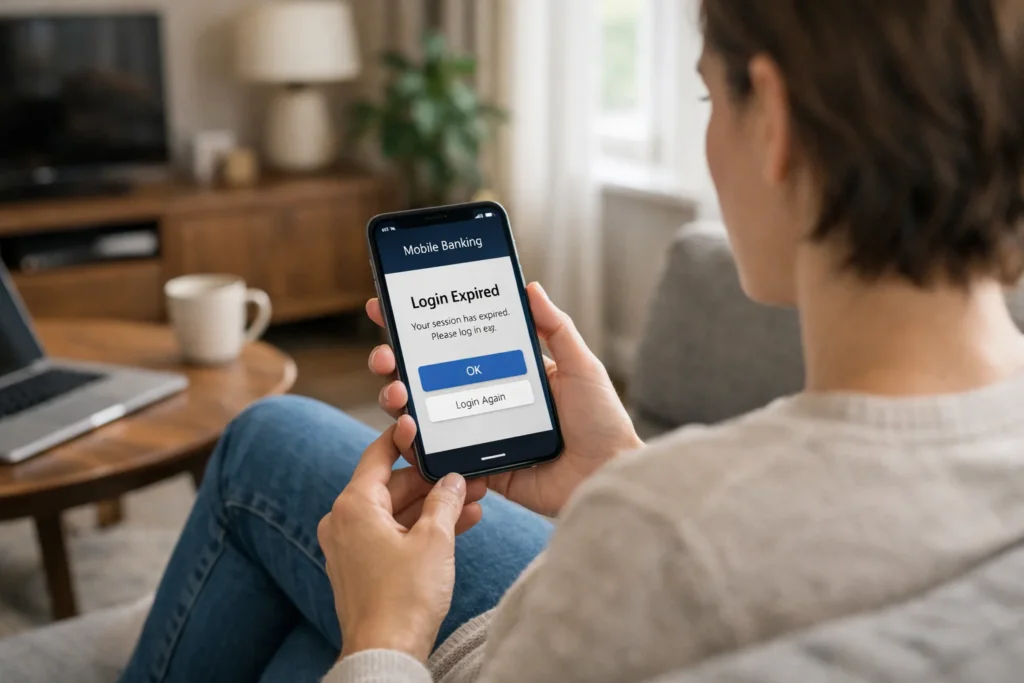
This error usually isn’t a “bug” in the traditional sense. It’s part of how banking systems protect user accounts. Still, when it happens repeatedly, it becomes a real usability problem.
This guide explains the issue in simple language, shows why it happens, and gives practical, step-by-step solutions you can actually use—without technical confusion or risky advice.
Many users confuse this issue with security threats, but most problems are technical and related to mobile banking safety practices
What Does “Session Expired” Mean in Banking Apps?

A session is a secure connection between your banking app and the bank’s server.
When you log in, the system creates a temporary session to keep you authenticated.
When that session ends, you see the message:
“Session expired. Please log in again.”
This is a normal security feature. Banks use session timeouts to:
- Prevent unauthorized access
- Protect inactive devices
- Reduce fraud risk
- Secure sensitive financial data
But when sessions expire too frequently, it becomes a problem of configuration, connectivity, or device behavior.
Why the Bank App Session Expired Error Happens Repeatedly
1. Inactive Usage Timeouts
Most banking apps automatically log you out if there’s no activity.
Examples:
- Leaving the app open
- Switching to another app
- Locking your phone
- Screen timing out
Security teams design this intentionally to prevent account misuse.
2. Poor Internet Connection
Unstable internet causes session drops.
Common triggers:
- Weak Wi-Fi signals
- Mobile data switching between networks
- VPN interference
- Slow network response
When the server loses connection, it invalidates the session.
3. App Cache and Data Corruption
Temporary app data can become corrupted over time.
This can cause:
- Authentication loops
- Session validation errors
- Repeated login failures
- Token mismatches
4. Outdated App Version
Older app versions may not match updated bank security systems.
Results include:
- Session validation failure
- Token refresh issues
- Compatibility errors
5. OS Compatibility Issues
Phone system updates can conflict with banking apps.
For example:
- Background app restrictions
- Battery optimization settings
- Security permission changes
6. Security Token Expiration
Bank apps use encrypted tokens instead of passwords.
When tokens expire or fail to refresh properly:
- Session ends instantly
- Login loop occurs
- Re-authentication fails
7. Server-Side Security Controls
Banks enforce strict security rules.
Sessions may expire if:
- Multiple login attempts detected
- Login from new location
- Device fingerprint changes
- Network pattern looks suspicious
Step-by-Step Solutions That Actually Work
Step 1: Check Your Internet Stability
Use one strong network:
- Stable Wi-Fi or
- Strong mobile data
Avoid:
- Public Wi-Fi
- Auto-switching networks
- Weak signal areas
Step 2: Update the Banking App
Always use the latest version from:
- Official app store
- Verified source only
Updates often fix:
- Session bugs
- Security token errors
- Compatibility issues
Step 3: Clear App Cache (Android)
Go to:
Settings → Apps → Bank App → Storage → Clear Cache
(Do not clear data unless necessary)
Step 4: Disable VPN Temporarily
VPNs often:
- Change IP locations
- Trigger security systems
- Break session validation
Test login without VPN.
Step 5: Check Device Time & Date Settings
Wrong system time breaks session security.
Set to:
- Automatic date & time
- Network-provided timezone
Step 6: Disable Aggressive Battery Optimization
Some phones kill background sessions.
Allow background activity for your bank app.
Step 7: Reinstall the App
If the problem continues:
- Uninstall
- Restart phone
- Reinstall
- Log in fresh
This clears corrupted tokens and sessions.
How to Prevent the Error in the Future
- Always log out properly
- Avoid leaving app idle
- Use secure networks
- Keep apps updated
- Don’t use modified devices
- Avoid cloned apps
- Use official app stores only
- Keep system updates current
Real-Life Example
Ahmed checks his bank app at work using office Wi-Fi.
The signal switches between routers.
Each time the connection changes, the app disconnects from the server.
Result: Session expired error every few minutes.
After switching to mobile data, the problem stops completely.
This shows the issue wasn’t the bank—it was network instability.
Practical User Advice
If the error happens:
- Don’t panic
- Don’t assume hacking
- Don’t reinstall repeatedly
- Don’t reset passwords unnecessarily
Start with connectivity + updates first.
Do’s and Don’ts
✅ Do:
- Use strong internet
- Update your app regularly
- Keep your phone OS updated
- Log out properly
- Use official apps only
❌ Don’t:
- Use modded APKs
- Use fake bank apps
- Use random VPNs
- Share login details
- Ignore system updates
Common Mistakes Users Make
- Resetting passwords repeatedly
- Reinstalling without fixing network issues
- Blaming the bank immediately
- Ignoring device settings
- Using unsafe Wi-Fi networks
When to Contact Bank Support
Contact official support if:
- Error continues after all fixes
- App logs out instantly every time
- Login fails across multiple devices
- Account shows unusual behavior
- You receive security alerts
Banks usually advise contacting support through official channels only, never through social media messages or unofficial numbers.
For digital security education, platforms like Consumer Financial Protection Bureau and NIST provide reliable guidance on secure digital access and authentication systems.
FAQs – Bank App Session Expired Error
1. What does Bank App Session Expired Error mean?
It means your secure login connection ended and the system requires re-authentication for safety reasons.
2. Is session expired a sign of hacking?
No. In most cases, it’s caused by security timeouts, weak internet, or system issues—not hacking.
3. Why does it happen every time I log in?
Common causes include poor network connection, outdated app version, VPN usage, or corrupted app cache.
4. Can my account get blocked because of this?
Repeated failed logins may trigger temporary security blocks, but normal session errors do not block accounts automatically.
5. Does clearing cache delete my bank data?
No. Clearing cache only removes temporary files, not your account or personal data.
6. Should I reset my password?
Only if the bank specifically instructs you. Most session errors do not require password changes.
Conclusion
The Bank App Session Expired Error is a security feature—not a system failure. It exists to protect your money, identity, and personal data. But when it happens repeatedly, it’s usually caused by connectivity issues, outdated apps, device settings, or session validation problems—not your bank account itself.
By following the practical steps in this guide, most users fix the issue within minutes.
Secure banking should feel smooth, not stressful.
And when systems are understood properly, problems become manageable—not scary.
If the issue continues despite all fixes, official bank support is always the safest path forward