
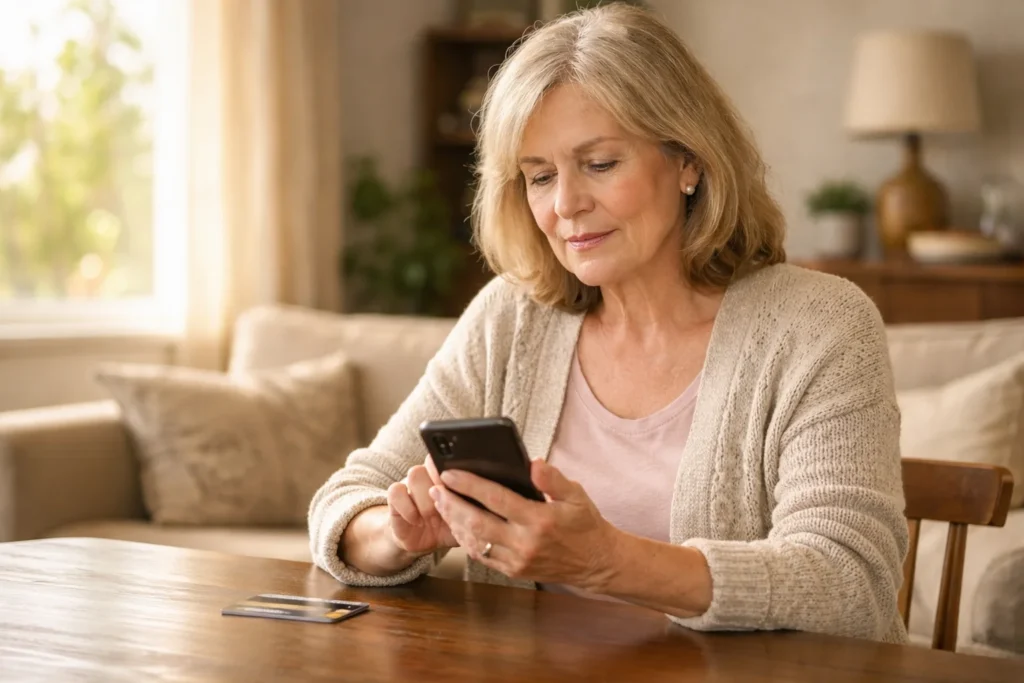
In today’s digital world, practicing Safe Internet and Phone Habits can make life more enjoyable and fulfilling for seniors. From video calls with grandchildren to online banking and reading your favorite news, using technology safely opens doors to endless possibilities. However, with this convenience comes certain risks. Scammers, identity theft, and misleading information can target anyone, and seniors are often considered especially vulnerable.
Thank you for reading this post, don't forget to subscribe!
The good news is that by adopting a few safe habits, seniors can enjoy the benefits of technology while protecting themselves. This guide shares practical, easy-to-follow tips for safe internet and phone use.
🌐 Understanding Global Internet Usage
Before we dive into safe internet habits for seniors, it helps to see how widespread internet use is globally. Here’s a snapshot of the top 5 countries with the most internet users in 2026:
As you can see, over 6 billion people are online worldwide, including a growing number of seniors. This makes it more important than ever for seniors to follow safe internet and phone habits.
🌍 Top 5 Countries with the Most Internet Users (2026)
Global Internet Usage — quick visual comparison (users in millions)
Why Safe Digital Habits Matter
As we grow older, we naturally want independence and connection. Using technology safely allows seniors to:
- Stay connected with loved ones through calls, video chats, and messaging apps.
- Manage finances, pay bills, and shop online securely.
- Access important information about health, news, and hobbies.
- Avoid stress, frustration, or financial loss caused by scams or cyber threats.
Unfortunately, scammers often target seniors because they may be less familiar with digital safety protocols. According to a 2023 report by the Federal Trade Commission (FTC), seniors lost billions to phone and online scams last year. By following simple habits, you can reduce these risks and feel more confident online.
1. Protect Your Personal Information
Your personal information is your most valuable asset online. This includes:
- Full name
- Date of birth
- Social Security number
- Bank account and credit card details
- Passwords and PINs
Tips for protecting your information:
- Never share personal information over the phone unless you initiated the call with a verified organization.
- Avoid posting sensitive details like your home address or birthday on social media.
- Use secure websites (look for “https://” and a padlock icon) when shopping or banking online.
Remember: Scammers often pretend to be someone you trust—a bank, government agency, or even a family member—to get your personal details. Pause, verify, and never rush.
External resource: FTC Senior Scams
2. Use Strong, Unique Passwords
Passwords are like the locks on your front door. Strong and unique passwords keep intruders out.
Best practices for passwords:
- Use a combination of letters (both uppercase and lowercase), numbers, and symbols.
- Avoid obvious choices like your birth year or “123456.”
- Never share your password with anyone, even family or friends.
- Consider using a password manager, which securely stores and helps generate strong passwords.
Changing passwords regularly adds an extra layer of protection.
3. Recognize and Avoid Scams
Phone, email, and internet scams often look legitimate. They may include:
- Calls claiming your bank account is “frozen”
- Emails asking for passwords or credit card information
- Fake “prizes” or lottery notifications
- Tech support calls claiming your device is infected
How to avoid scams:
- Don’t give personal information to unknown callers.
- Hang up on suspicious calls and verify by contacting the official organization directly.
- Check email addresses and website URLs carefully—they may look similar to legitimate ones.
- Enable call blocking and spam filters on your phone.
Extra Knowledge: If you want, you can link to your article: Bank Call Asking for CVV Number — Is This a Scam or Real?
4. Keep Your Devices Updated
Software updates may seem inconvenient, but they are essential. Updates often include security patches that protect against the latest threats.
Tips:
- Turn on automatic updates for your phone, computer, and apps.
- Install antivirus software on your computer and keep it updated.
- Restart your devices regularly to apply updates effectively.
Peace of mind tip: Keeping your devices updated is like locking all your doors before bedtime—it’s simple and effective.
5. Use Secure Wi-Fi Networks
Public Wi-Fi networks, such as those in coffee shops or airports, are convenient but can be unsafe. Hackers may use them to steal personal information.
Safe Wi-Fi practices:
- Avoid accessing banking or shopping websites on public Wi-Fi.
- Use a Virtual Private Network (VPN) for secure browsing.
- Protect your home Wi-Fi with a strong password and WPA3 encryption if available.
6. Enable Two-Factor Authentication
Two-factor authentication (2FA) is a simple way to add extra security to your accounts.
- After entering your password, a code is sent to your phone or email.
- You must enter this code to log in.
Even if someone knows your password, 2FA stops unauthorized access. Many email providers, banks, and social media platforms offer 2FA—enable it wherever possible.
7. Think Before You Click
Links in emails, texts, or social media posts can sometimes lead to dangerous websites. These may attempt to install malware or steal information.
Guidelines for safe clicking:
- Hover over links to see the actual URL before clicking.
- Avoid clicking links from unknown or suspicious senders.
- Download files only from trusted websites or official app stores.
Tip: If it seems too good to be true, it probably is.
8. Protect Your Phone and Computer
Just as you lock your doors, it’s important to secure your devices.
- Set up a password, PIN, or biometric lock (fingerprint or face ID).
- Lock your screen automatically after a short period of inactivity.
- Back up important data to a secure cloud service or external hard drive.
This ensures that if your device is lost or stolen, your personal information remains safe.
9. Limit Sharing on Social Media
Social media can be a wonderful way to stay connected, but oversharing can put you at risk.
Safe sharing habits:
- Avoid posting sensitive information like your home address or travel plans.
- Adjust privacy settings to control who can see your posts.
- Be cautious about accepting friend requests from people you don’t know.
Social media is meant to bring joy and connection, not stress or danger. Sharing wisely keeps it that way.
10. Take Your Time with Online Transactions
Many seniors enjoy online shopping, but rushing can lead to mistakes or scams.
Tips for safe transactions:
- Shop on reputable websites.
- Double-check total charges before submitting payment.
- Use credit cards when possible—they often offer better fraud protection than debit cards.
- Keep records of receipts and confirmations for reference.
Gentle reminder: There’s no rush—take a deep breath, review carefully, and then click “Buy.”
11. Recognize Signs of Digital Stress
Technology can be wonderful, but it’s normal to feel overwhelmed or anxious.
Signs you may need a break:
- Frustration with apps or devices
- Anxiety about online safety
- Feeling rushed or pressured to respond to emails or messages
How to manage:
- Take short breaks from screens.
- Ask a trusted friend, family member, or local senior center for help.
- Attend workshops or online tutorials designed for seniors—they are usually paced slowly and gently.
Remember: Using technology should feel empowering, not stressful.
12. Seek Trusted Support
It’s okay to ask for help. Family members, friends, or local senior centers often provide guidance. Some organizations even offer:
- Free workshops on digital literacy
- One-on-one assistance with devices and apps
- Educational materials on scam awareness
External resource: AARP Online Safety for Seniors
13. Regularly Review Accounts and Statements
Regularly checking your bank and credit accounts is an important habit. It helps detect unusual activity early.
- Review bank statements weekly or monthly.
- Set alerts for transactions via SMS or email.
- Report any suspicious activity immediately.
Tip: Treat account reviews like a health checkup—it’s preventive care for your finances.
14. Stay Educated About New Threats
Cyber threats are constantly evolving. Staying informed helps seniors protect themselves.
- Subscribe to newsletters from trusted organizations like FTC or AARP.
- Attend local community classes or webinars about internet safety.
- Share knowledge with friends—it strengthens your social circle and collective security.
Final Thoughts
Technology can enrich the lives of seniors, helping you stay connected, informed, and independent. By following these safe internet and phone habits, you protect yourself and enjoy the digital world with confidence and peace of mind.
Remember: Small steps—like using strong passwords, pausing before clicking links, and verifying calls—can make a big difference. Your safety online is worth the effort, and it allows you to focus on what truly matters: connecting with family, learning new things, and enjoying your life.
Frequently Asked Questions (FAQ)
u003cstrongu003eQ1: What should I do if I receive a suspicious call from my bank?u003c/strongu003e
Hang up immediately and call your bank using the official phone number on your statements or website. Never give account details to unknown callers.
u003cstrongu003eQ2: Are public Wi-Fi networks safe for online banking?u003c/strongu003e
No. Avoid using public Wi-Fi for banking or shopping. Use a secure home network or VPN.
u003cstrongu003eQ3: How often should I change my passwords?u003c/strongu003e
Ideally every 3–6 months, especially for banking or email accounts. Use unique passwords for each account.
u003cstrongu003eQ4: Can I trust emails from “official” organizations?u003c/strongu003e
Always verify the sender’s email address and avoid clicking links without confirming authenticity. Scammers often imitate legitimate organizations.
u003cstrongu003eQ5: What if I accidentally click a suspicious link?u003c/strongu003e
Disconnect from the internet, run a virus/malware scan, change passwords for affected accounts, and monitor your accounts for unusual activity.